 VERILUME
Website Development
A Website Is Not Finished on Launch Day
Updates, forms, backups and content keep changing after a site goes live. A little regular care prevents most avoidable problems.
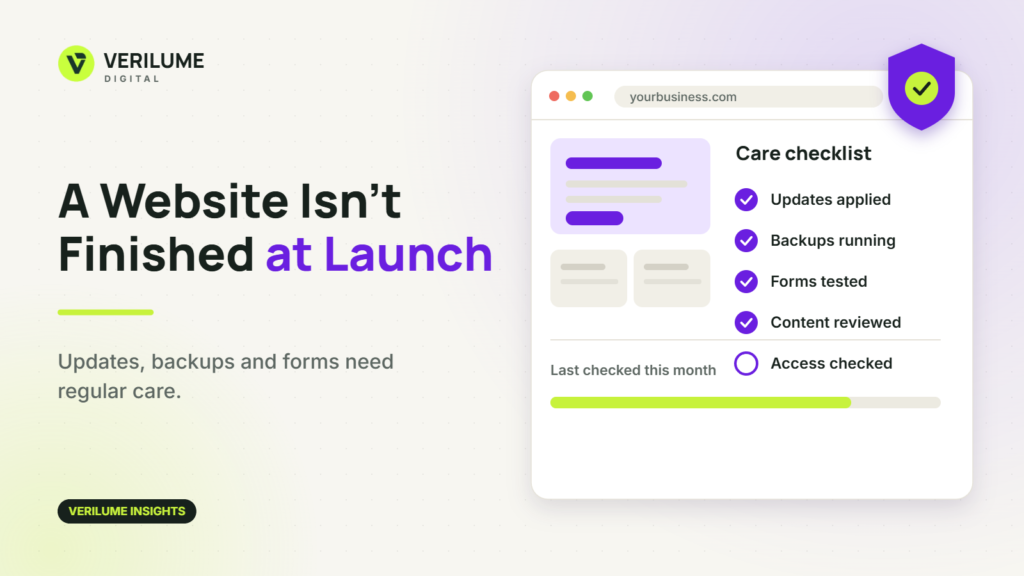
Launch day feels like the end of a website project. In practice it is when the site starts meeting real visitors, real devices and real changes in the business behind it.
A site that is not looked after tends to drift. Information gets out of date, forms stop working without anyone noticing, and small technical issues build up until they become a larger one.
Keep the software current
A WordPress site depends on the core software, the theme and a set of plugins, all of which receive updates. Some of those updates fix security problems and compatibility issues. Leaving them for months makes each one riskier to apply.
Apply updates on a regular schedule, and for larger changes try them on a staging copy of the site first so that a problem is found before visitors see it. A WordPress CMS set up with clear roles and a tidy plugin list is easier to maintain than one that has grown without a plan.
Make sure there is a recent backup
Backups matter on the day something goes wrong, which is not the day to find out they were never running. Check that automatic backups exist, that they are stored somewhere separate from the site and that someone knows how to restore from them.
Test the forms and the contact paths
A contact form is often the main way a website produces value. Submit a test enquiry regularly and confirm that it arrives in the right inbox and that the confirmation message makes sense. Email delivery settings can change without any visible sign on the site itself.
Keep the content true
Prices, opening hours, team members, service descriptions and case studies all age. Outdated information costs trust. Review the most important pages every few months, and ask whoever answers customer questions what visitors seem confused about. Small website updates made steadily are easier than a large rewrite every year.
Look after access and security basics
Use strong, unique passwords and two-step login for administrators. Remove accounts for people who no longer need access and delete plugins that are no longer used. Know who owns the domain, the hosting account and the main logins, so the business is never locked out of its own site.
Look at how the site is performing
Review analytics and enquiry records periodically. Which pages do visitors reach, where do they leave, and which pages lead to contact? These patterns show what to improve next and whether tracking is still recording the actions that matter.
Decide who is responsible
Most neglected websites are not neglected on purpose. Nobody was clearly responsible. Decide whether the work will be handled in-house or through website care and support, and write down the routine, even if it is only a short monthly checklist.
Prepare before you send traffic to the site
Campaigns, seasonal offers and mentions in the press can bring a sudden rise in visits. Before that happens, check that the key pages load quickly on a phone, that forms and phone links work and that the offer on the page matches what was promised elsewhere.
It is far better to discover a broken form before a campaign than to learn about it from a drop in enquiries afterwards.
Keep a simple change log
Write down what was changed on the site, when and by whom, even if it is only a line in a shared document. When something stops working, the log narrows the search.
It also helps when responsibility passes from one person or supplier to another, because the next person can see what has already been done instead of starting from guesswork.
If you are planning a new site or want help looking after the one you have, you can read about our website development work, or request a quote.